Observe Agent Workflows
Tenure captures agent activity directly on the model request path across supported OpenAI and Anthropic protocols. This establishes a concrete behavioral baseline before you publish active enforcement rules.
Open an agent
Section titled “Open an agent”Open Agents in the Tenure UI and select an agent token.
The agent view summarizes activity associated with that identity, including its active policy, providers, models, available tools, invoked tools, and recent observations.
If no activity appears, confirm that the application is using the expected agent token and that its requests are routed through Tenure.
Available and invoked tools
Section titled “Available and invoked tools”Tenure separates two useful views of agent capability use.
Available tools
Section titled “Available tools”Available tools are capabilities supplied by your application that entered model context. This reveals the total authority your system made visible to the model.
Invoked tools
Section titled “Invoked tools”Invoked tools are tools selected by the model during a run. This shows the specific capabilities used to accomplish the task.
Review recent observations
Section titled “Review recent observations”The Recent observations section lists each captured model turn. Each entry shows the provider, model, route, number of exposed tools, number of invoked tools, observation time, and policy version used for the request.
An Available observation exposed tools but did not invoke one. An Invoked observation contains at least one released tool call.
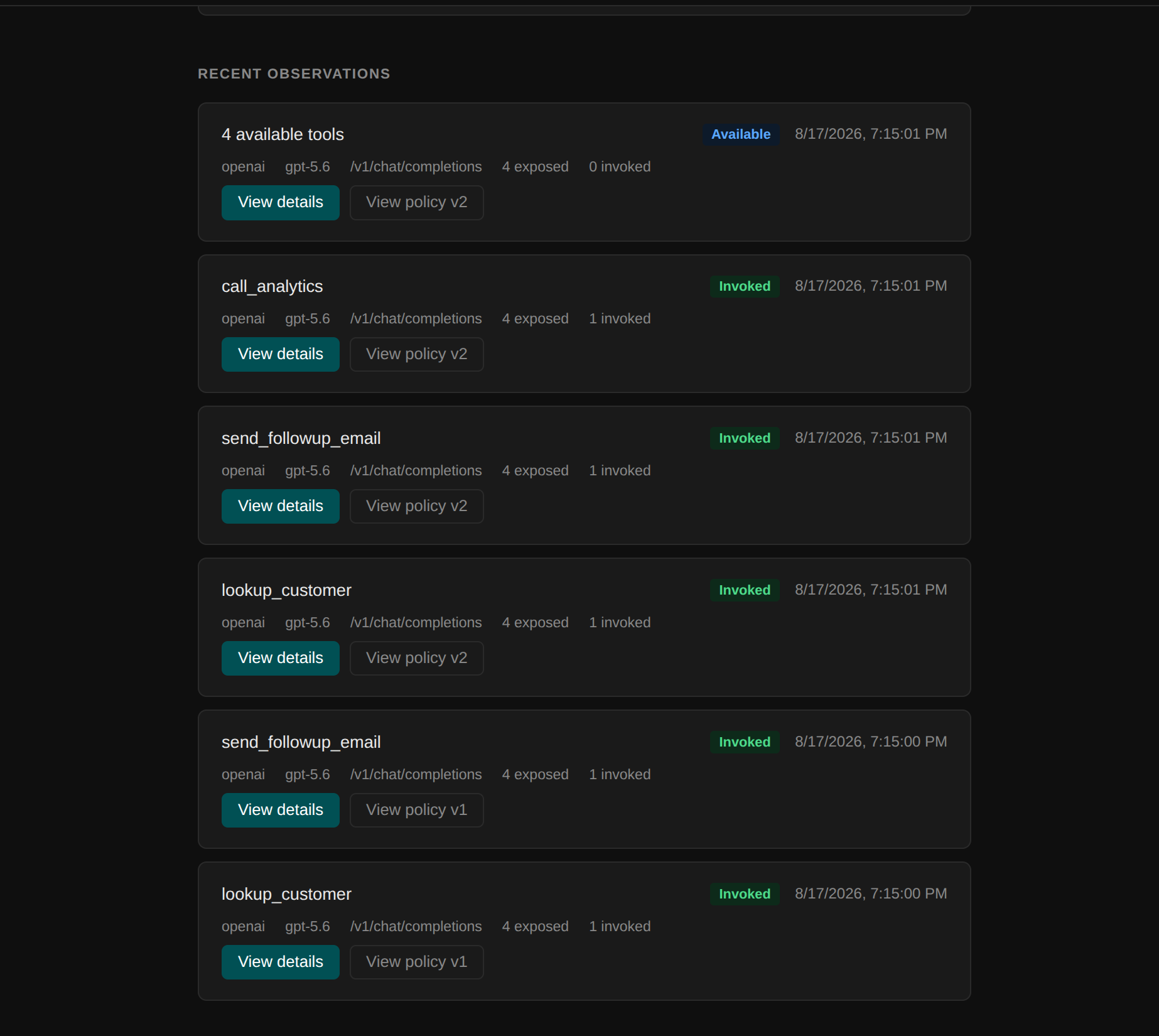
Select View details to inspect a turn. The detail view includes:
- Request metadata, including route, protocol, provider, model, and request ID
- Tools supplied by the application
- Tools exposed to the model after policy filtering
- Released tool invocations
- The call ID and workflow ID for each invocation
- Tool arguments
- Tool results and result status
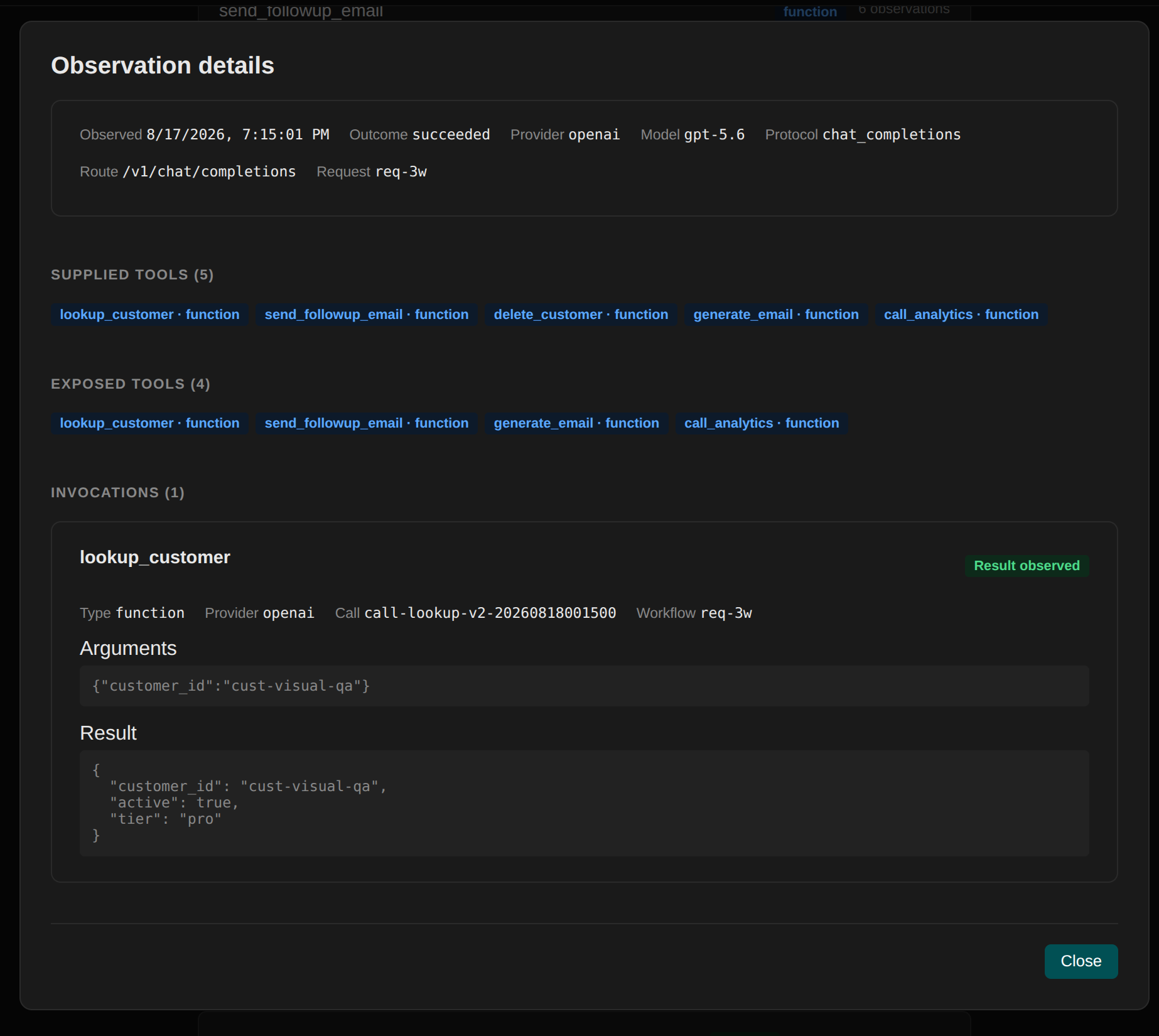
Arguments and results can contain sensitive application data. Tenure stores this observation payload encrypted and only returns it through the authorized agent detail view.
Understand arguments and results
Section titled “Understand arguments and results”Arguments appear as soon as Tenure records a released invocation. A result appears after the application sends the tool output back through Tenure with the invocation’s original call ID.
A result status can be:
- Result observed, when the matching output was returned successfully
- Error, when the matching output was marked as an error
- Pending result, when Tenure has not yet observed a matching output
An Available observation has no invocation, so it has no tool arguments or result to display. If a tool was invoked but its result remains pending, confirm that the application returned the result through Tenure and preserved the original call ID.
Large results may be represented as truncated metadata instead of the complete payload.
Workflow activity
Section titled “Workflow activity”When your application returns tool results using their original call IDs, Tenure can associate later actions with the earlier results that preceded them.
For example:
fetch_customer ↓generate_email ↓review_email ↓send_emailA complete workflow gives Tenure enough evidence to suggest that a later action may depend on an earlier result, an earlier tool’s arguments, or conditions on the later action’s own arguments.
Tenure deterministically records step sequences, invocation arguments, and tool outputs on the wire. Observation records what happened. Your reviewed policy decides what is allowed to happen.
What to run during observation
Section titled “What to run during observation”Use representative workflows rather than a single ideal demonstration.
Include:
- Common successful tasks
- Different valid inputs
- Tools that are available but should rarely be used
- Retries and normal framework behavior
- Parallel tool calls if the agent uses them
- Streaming requests if the production agent streams
- Tool errors and recovery paths
Policy drafts are generated strictly from activity captured during the selected window. Ensure observation covers full production tasks before drafting enforcement rules.
Incomplete observations
Section titled “Incomplete observations”A workflow may be incomplete when:
- The application does not return the tool result
- The result does not include the original call ID
- A stream is interrupted before the tool call completes
- The request bypasses Tenure
- The provider payload does not contain a supported tool call
Incomplete activity can still appear in recent observations, but it may not produce usable workflow evidence.
Observation retention and enforcement
Section titled “Observation retention and enforcement”Recent agent observations are retained for 30 days. Publishing a policy transforms discovery into active enforcement. Tenure continues logging turns while filtering forbidden capabilities and verifying evidence at runtime.
Blocked tool calls are not treated as completed workflow steps. Review the audit trail when you need to understand why an action was withheld.
Next steps
Section titled “Next steps”When the agent has completed representative workflows, generate a policy from its observations.